How to Track Google Ads Event Inquiries All the Way to Deposits



In this post9 sections
Revset is independent. We earn a commission if you buy HighLevel through our links, at no extra cost to you. How we make money
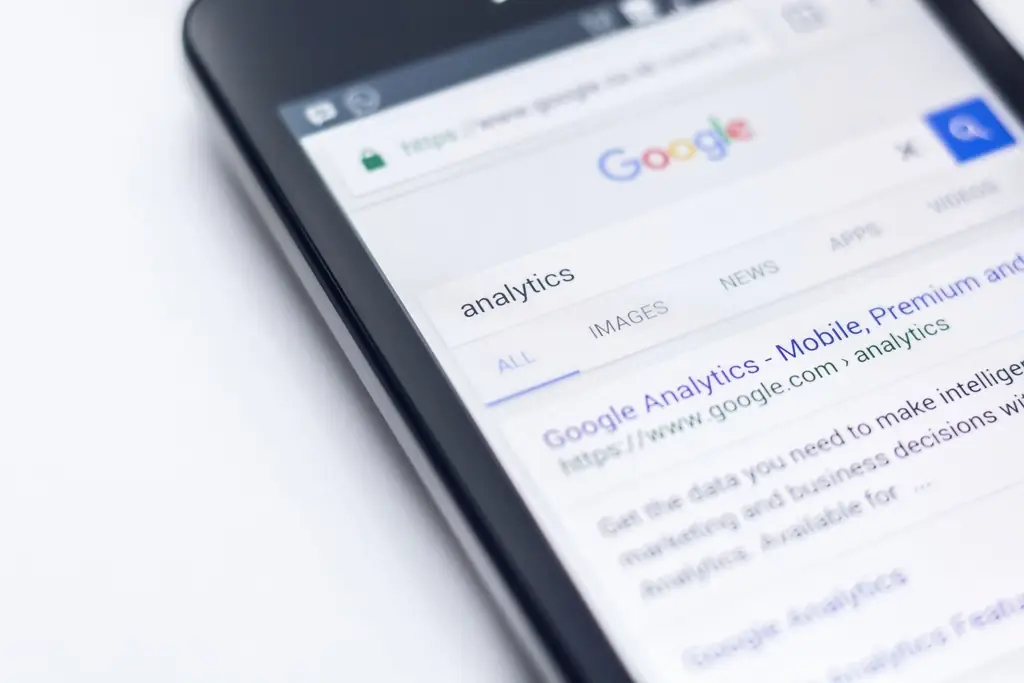
Your Google Ads report says a campaign produced 40 leads last month. But which of those became a tour, which signed, and which paid a deposit? For most venues and planners, nobody knows, so budgets get set on form fills, and the campaign that brings tyre-kickers looks as good as the one that books weddings. This post shows how to carry the ad source through GoHighLevel all the way to the deposit, so you can see which campaigns actually earn money.
It doesn’t cover writing ads or bidding. It covers the tracking, so your decisions are based on bookings.
At a glance
- Ad platforms stop at the lead. Your CRM has to carry the source through to the deposit.
- HighLevel stores first and latest attribution on every contact, and classifies Google click IDs as Paid Search.
- Put the form on the landing page itself; UTMs can be lost if visitors move to another page first.
- Judge campaigns by deposits and booked events, then audit the data monthly.
- Ad clickGoogle Ads
- Click ID and UTMs in the URL
- InquiryForm on the landing page
- Attribution saved on the contact
- Pipeline stagesHighLevel
- Tour, proposal, signed
- DepositReport
- Bookings by campaign
Why ad reports stop at the lead
| Compare | Google Ads | Your CRM |
|---|---|---|
| Before the inquiry | ||
| Clicks and cost | ||
| Keyword and campaign | Only if captured | |
| After the inquiry | ||
| Form fill | If conversion tracking is set up | |
| Tour, proposal, contract | ||
| Deposit and event value | ||
The fix is to make sure every inquiry carries its source into HighLevel, and then to move it through stages that end with money.
How GoHighLevel records where a lead came from
HighLevel stores attribution on every contact. Here’s what its documentation says:
| Compare | What it means | Note |
|---|---|---|
| Two attributions per contact | ||
| First attribution | Their first interaction with your system | Never changes |
| Latest attribution | Their most recent recorded interaction | Updates each time |
| Classification | ||
| gclid, wbraid or gbraid in the URL | Paid Search | Google click IDs |
| UTM parameters | utm_source, utm_campaign and so on | Used for attribution |
| Captured by | ||
| HighLevel tools | Forms, surveys, calendars, chat widgets, order forms | When the contact completes an action |
| Other forms | External Tracking for supported forms | Test it |
You can see both attributions on the contact, at the bottom-right of the Activity tab. The form’s Source field is something different: HighLevel says attribution uses its own data, not the Source field.
Keep the form on the landing page
This one rule fixes most missing data. HighLevel says UTM data may not be recorded if the visitor moves to another page before submitting.
Keeps the source
- The inquiry form on the ad’s landing page
- A pop-up or embedded form on that page
- A booking calendar embedded on the landing page
- Consistent UTMs on every ad
Loses the source
- A “Get a quote” button that opens a different page
- Sending ad clicks to the home page
- Different UTM spellings for the same campaign
- Relying on the form’s Source field for ads
The ad-to-deposit map
- ClickGoogle Ads
- Click ID and UTMs on the URL
- InquiryLanding page form
- First attribution saved
- QualifiedPipeline
- Fit, maybe or not a fit
- Tour or callPipeline
- Stage: Tour booked
- DepositPipeline
- Stage: Booked, with event value
Set up stages and money fields
Make the pipeline reportable
Use clear, final stages
Inquiry → Qualified → Tour booked → Proposal sent → Signed, deposit due → Booked → Lost. Every inquiry should end in Booked or Lost.
Record the event value
Set the opportunity value to the contract total when it’s signed, so revenue can be reported by source.
Record why deals are lost
A dropdown such as date taken, budget, chose another venue or no reply. It shows whether a campaign brings the wrong people.
Ask on every phone inquiry
Phone calls are hard to attribute. Ask “How did you hear about us?” and record it in a custom field.
Report on bookings, not form fills
What to report by campaign each month
- Inquiries (first attribution: Paid Search, by utm_campaign)
- Qualified inquiries
- Tours or consultations booked
- Deposits paid (stage: Booked)
- Booked event value
- Cost per booked event (ad spend ÷ bookings)
HighLevel’s dashboard widgets for contacts and opportunities can filter by first or latest attribution and by UTM parameters. Build one widget per stage, filtered by campaign.
A monthly attribution audit
Data drifts. Spend fifteen minutes a month checking it.
Monthly audit
- Open five booked events: does each have a sensible first attribution?
- Any “direct” or blank sources from ad campaigns? Check the landing page form.
- Are campaign names consistent between Google Ads and utm_campaign?
- Are phone bookings recorded with “how did you hear about us”?
- Are lost deals marked with a reason?
Test it before spending
Attribution test list
- Open your landing page with test UTMs (utm_source=google, utm_campaign=test) and submit the form.
- The contact’s Activity tab shows the UTM values in first attribution.
- Repeat with a “Get a quote” button that goes to another page: note whether the UTMs survive.
- Move the test opportunity to Booked with a value: it appears in your campaign widget.
Troubleshooting
| Compare | Likely cause | Fix |
|---|---|---|
| Missing data | ||
| No UTMs on ad leads | Form on a different page from the landing page | Put the form on the landing page |
| Campaign split into several | Inconsistent utm_campaign values | One naming rule everywhere |
| Third-party form leads have no source | External Tracking not set up | Set it up, or use a HighLevel form |
| Reporting | ||
| Can’t see revenue by campaign | Opportunity value not set | Set the value when the contract is signed |
| Phone bookings missing | Calls not attributed | Record “how did you hear about us” |
Attribution, pipelines and dashboards are part of HighLevel’s plans, from $97 a month (checked October 31, 2026). If ads bring traffic but few inquiries, fix the page first: see why venue website visitors aren’t inquiring. For Meta ads, see Facebook Lead Ads for event businesses.
New to HighLevel? Read what GoHighLevel is, our GoHighLevel review and GoHighLevel pricing before you start the free trial.
Next in the seriesOne client, several eventsSet up your CRM so a second event never overwrites the first.Read the next postQuestions people ask
Why doesn’t Google Ads show me booked events?
What is attribution in GoHighLevel?
How does HighLevel know a lead came from Google Ads?
Which HighLevel tools capture attribution?
Why are my UTMs missing?
Where do I see a contact’s attribution?
Is the Source field the same as attribution?
Should I use first or latest attribution?
Can I report deposits by campaign in HighLevel?
Can I send booked events back to Google Ads?
What should I track besides leads?
How often should I check the data?
Does this need a special HighLevel plan?
What if a lead calls instead of filling in the form?
Fact-check
Sources we checked
Product facts come from the official vendor sources listed below, checked October 27, 2026. Features, prices and trial terms change, so confirm them in your account before relying on them.
 HighLevel: understanding attribution sourcehelp.gohighlevel.com
- HighLevel: attribution and UTM filters on dashboard widgetshelp.gohighlevel.com
- HighLevel: the Source field in forms and surveyshelp.gohighlevel.com
- HighLevel: custom fields on opportunitieshelp.gohighlevel.com
- HighLevel: opportunity widgets in dashboardshelp.gohighlevel.com
- HighLevel: plans and pricesgohighlevel.com
Your next step
Test the workflow before involving a client
Start the official HighLevel trial, build the workflow from this post, and run the tests before a real client sees it.
- Choose one important journey and define its acceptance criteria.
- Run it end to end with synthetic records and retain the evidence.
- Check the usage charges before you decide to keep it.
Texts, calls, email and AI are billed on top of the plan. We may earn a commission from these links.